In a Workspace containing the VA
Clicking on the "Result" takes you to the last step where you can change it.

Last step: Total VA Result
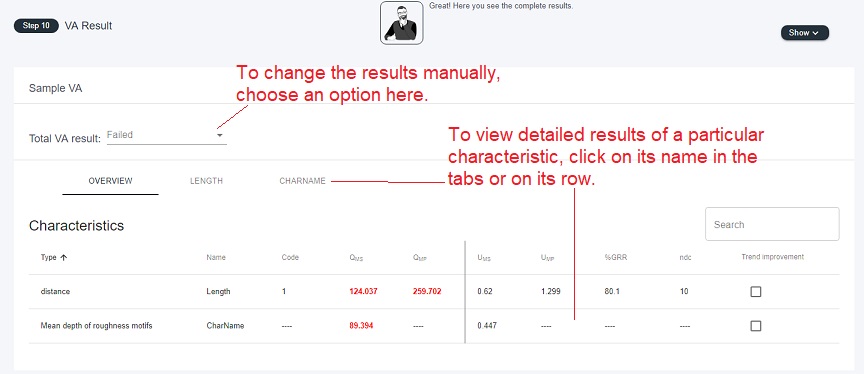
Calculated - no change. Keep the automatically calculated result.
You can overwrite to Not Suitable, Suitable, Incomplete or Conditionally Suitable, which means that either
- Trend Compensation was used in MS
- ndc < 5
- QMS > 15 and QMP < 30
Read more: What Is Trend Improvement?
Every result changed manually requires a commentary. It should be considered good practice to let others know why standard results are changed.
An icon of a hand will then appear to indicate manual changes of the results: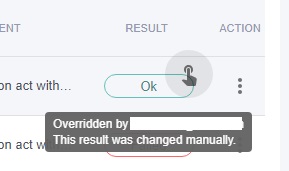
Comments
0 comments
Please sign in to leave a comment.