Only Organization admin can invite new members to an organization.
Read more about Types of Users and Their Privileges
In the left sidebar menu, click on “Organization Settings”. On the “Members” tab (2), you should see an overview of all members and also a “Invite Member” button (3).
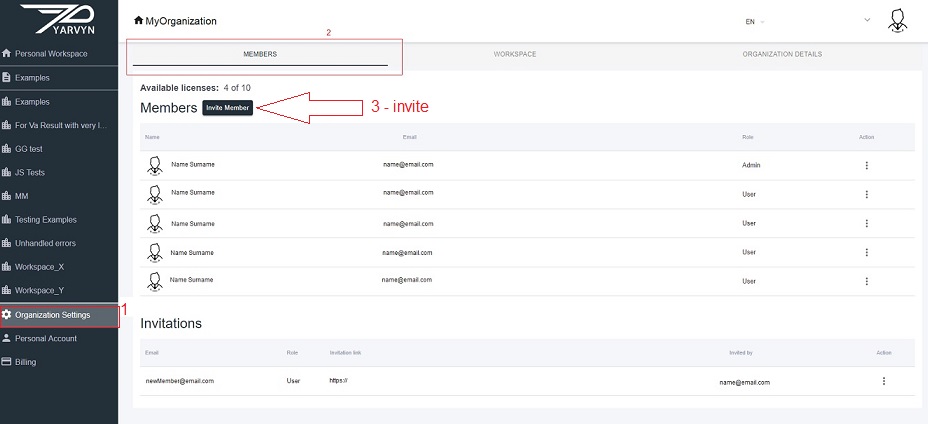
Each organization Member requires a single licence except for the Read-only user that is available only in the Enterprise subscription plan. By clicking on the “Invite Member” button, a dialogue pops up: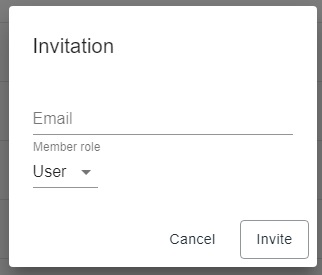
Fill in their e-mail address and assign them a role. An invitation to the Yarvyn application will be sent to the e-mail address and if they don’t have an account yet, they will be asked to sign-up.
Read more about Member Roles
Comments
0 comments
Please sign in to leave a comment.